


Carrier, Trane, Lennox, Daikin, Goodman, Rheem, York, Mitsubishi, and more.
HVAC diagnostic tool for Junior
Techs and growing service teams
Know what to test next. Snap the nameplate for unit specs. Pull up past visits on the spot.
✨ Try for free — no credit card needed
Active Diagnostic Session
1
Capture Symptom & Nameplate
Carrier 24ACC648 • "AC running warm, Delta T = 2°F"
2
AI Decision Tree Check
Subcooling = 2°F (Low) • Superheat = 38°F (High)
→ Ruled In: Refrigerant Leak 3
1-Tap Customer PDF Report
Findings & Photos compiled for immediate approval
On-Demand Senior-level guidance on site
PASS / FAIL Know if the reading is normal
Field-Verified Reality
Built for hot attics, rainy roofs, and dead-zone basements.
ACLogics works alongside the tools technicians carry — manifold gauges, multimeters, and manometers. It does not guess or part-swap; it systematically verifies physical readings and builds customer trust.
Finish the job in mechanical rooms and basements. Your saved diagnostic steps stay on the phone.
One invoice for the whole shop. Invite a tech from the office and they are ready on the next call.
On the job
What changes on your next call
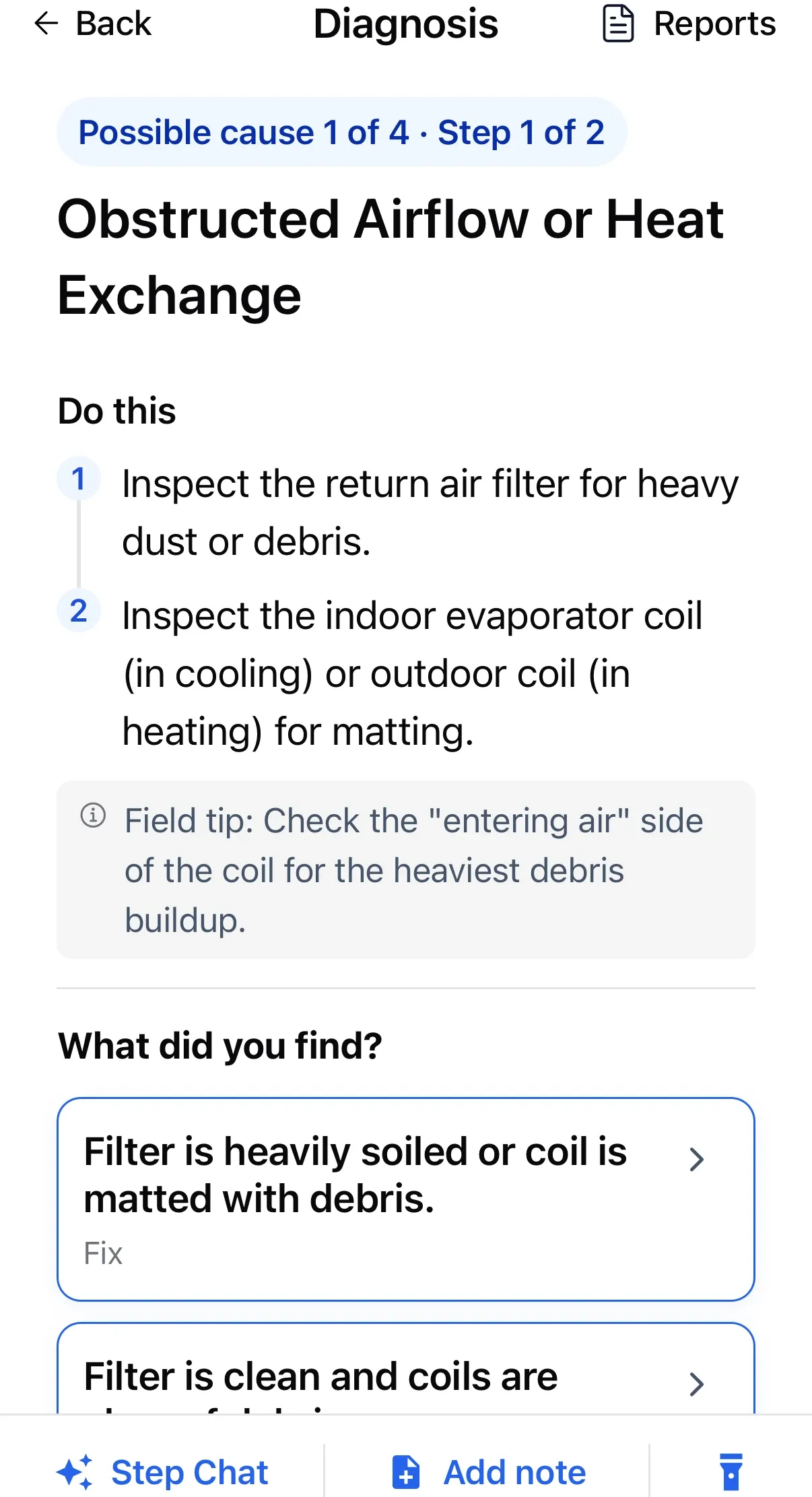
Each step tells your tech what to measure, what it should read, and what that rules out.
01
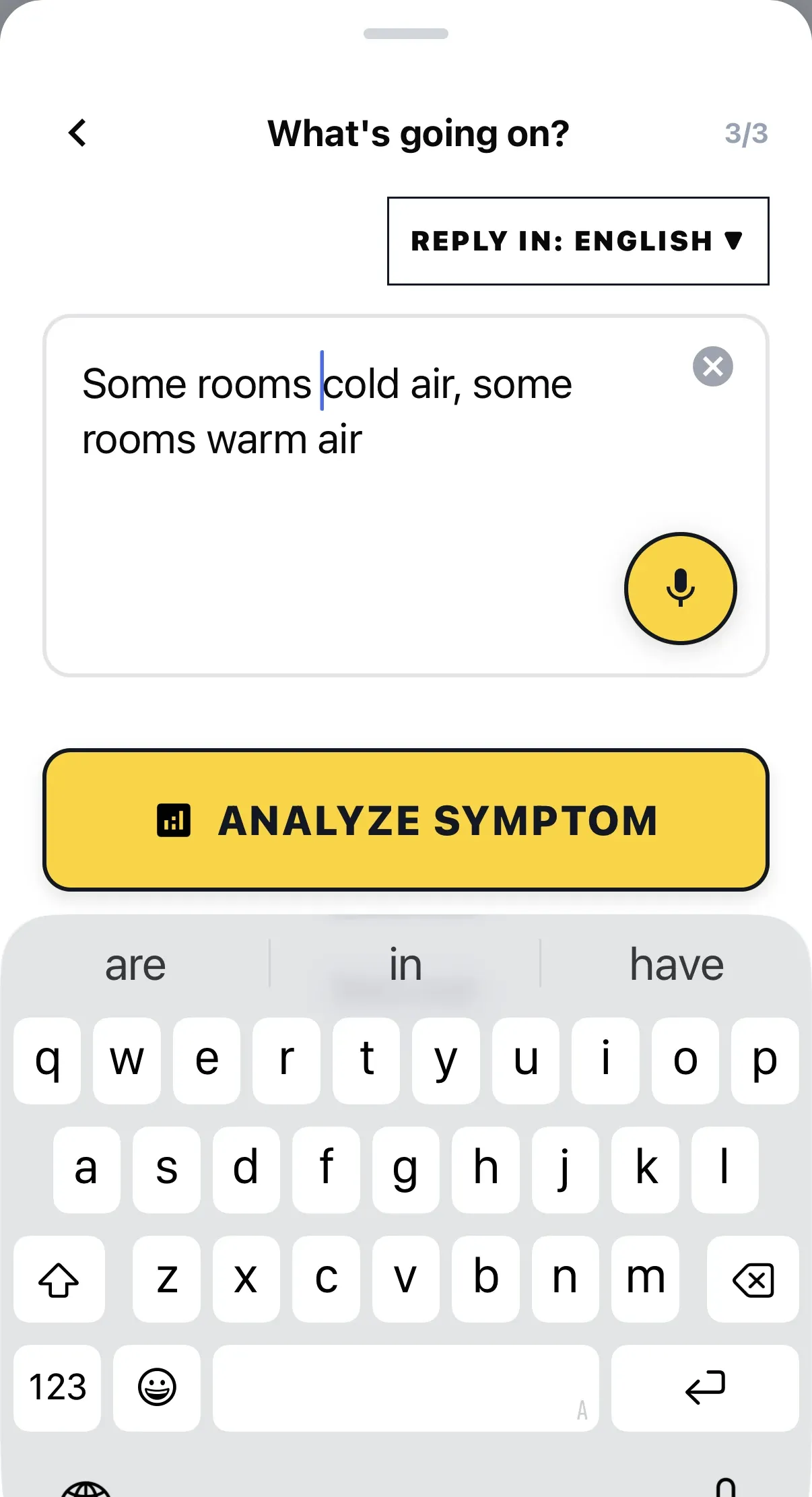
Know what to check next
Tell it the brand, model, error code, and symptom. It tells you the next check and why, so you stop swapping parts on a hunch.
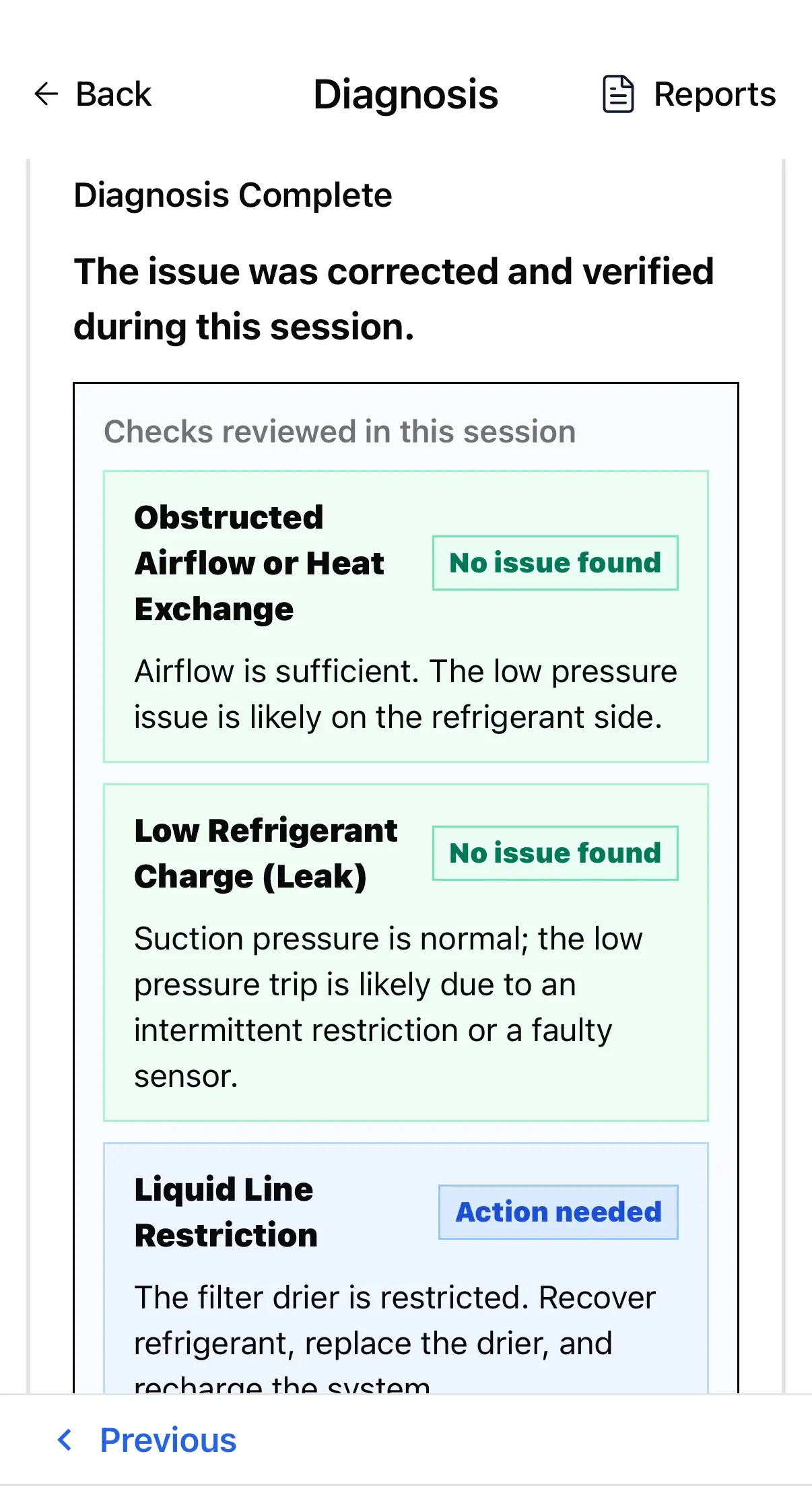
- See what you have ruled out: Causes you have already cleared are marked Ruled Out, so you don't recheck them and can show the customer.
- Fast single-tap entries: Pick from ready-made options without fumbling to type out readings.
- Unstuck on tricky steps: Step Chat clarifies where to probe or how to interpret unusual readings.
02
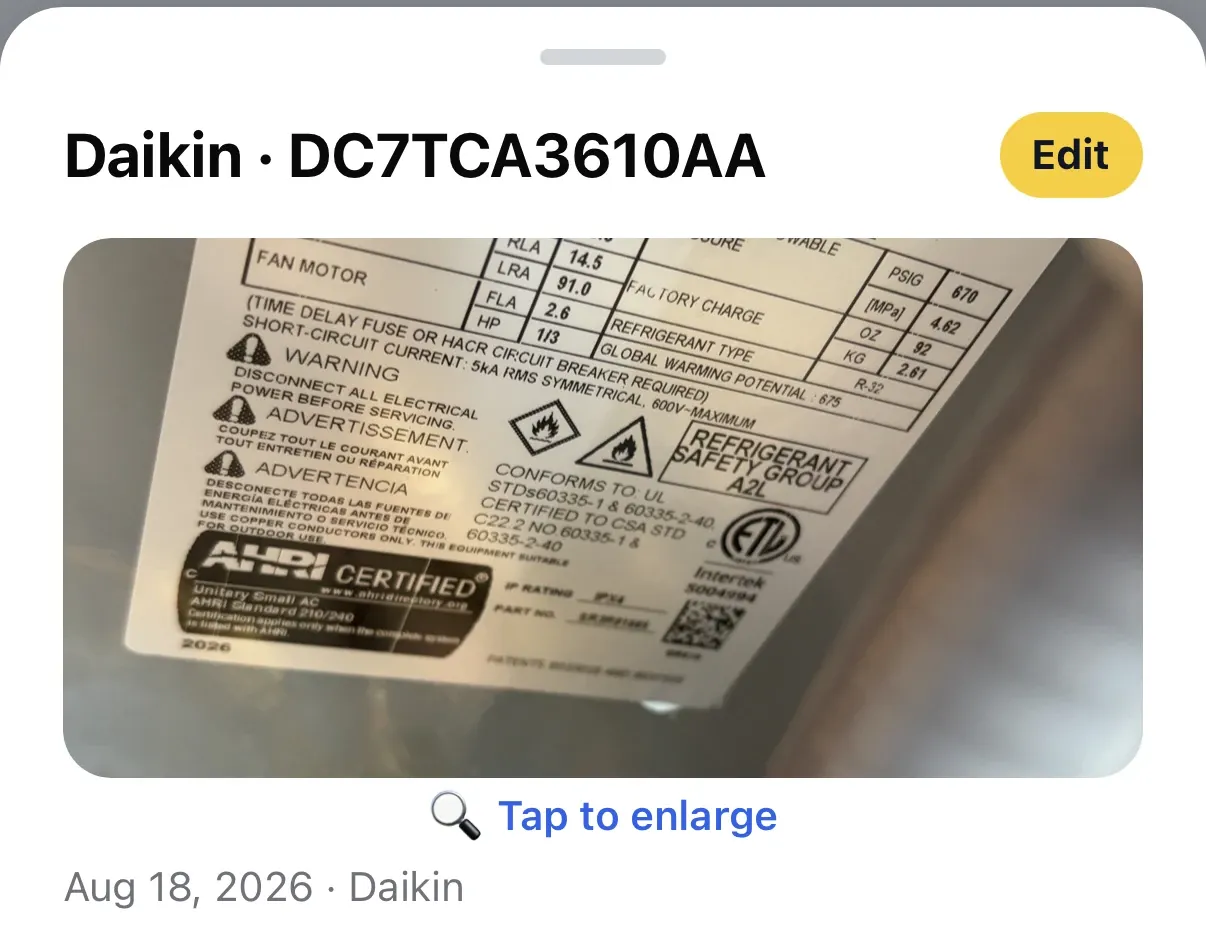
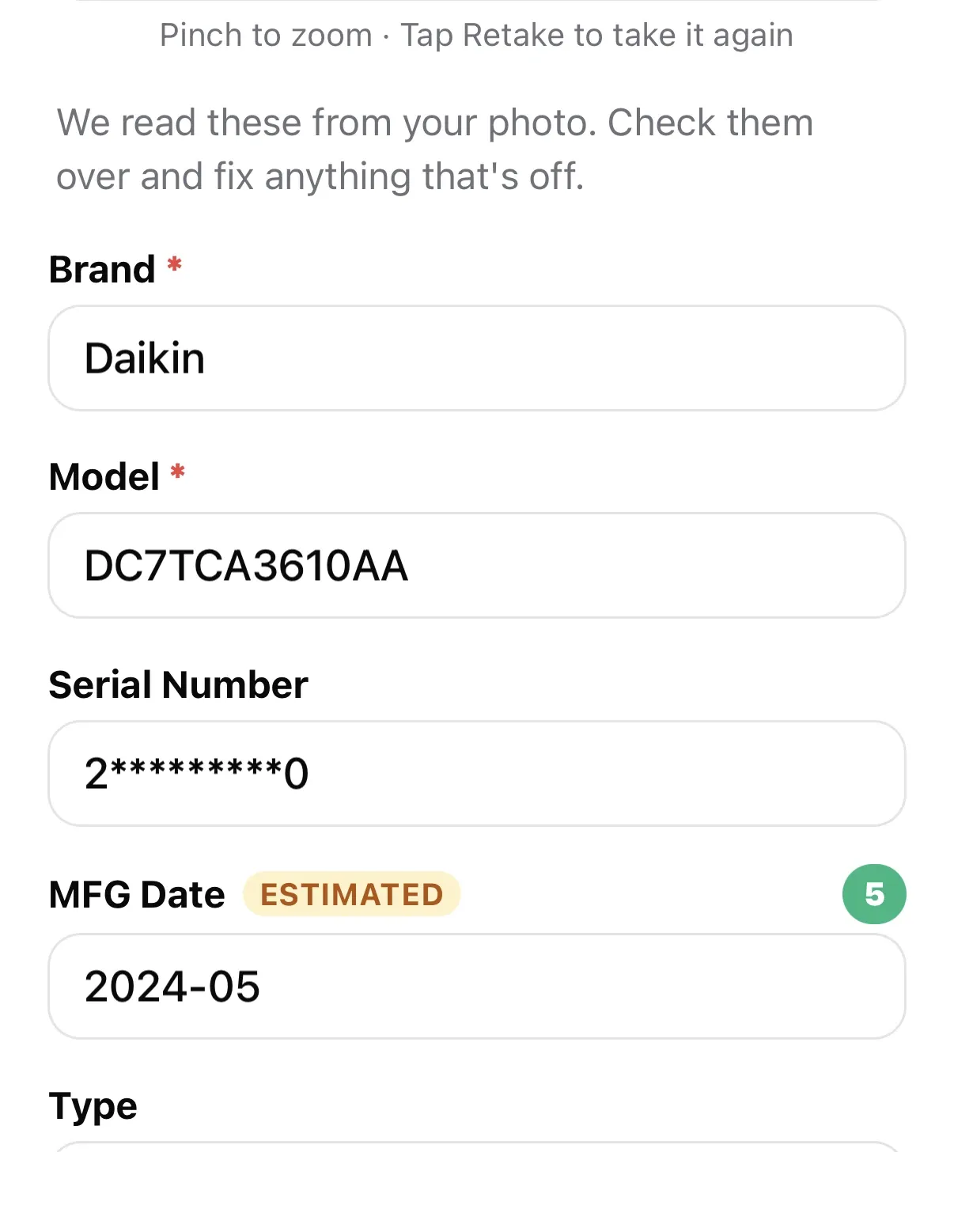
Snap the nameplate instead of typing it
Snap one photo of any weather-beaten condenser, heat pump, or furnace data plate. ACLogics reads and auto-fills the brand, full model number, serial number, system type, cooling tonnage, and manufacture date for you.
- Know the unit before you open the panel: See the system type and size without decoding the model number yourself.
- Know how old it is: The manufacture date comes from the serial number, so you can talk age with the homeowner.
- No retyping: No mistyped model numbers in a dark attic or in rooftop glare.
03
Keep working with zero bars
Load the job before you go down, and keep working in plant rooms and basements with no signal. Your diagnostic steps, error codes, and calculators stay on the phone.
- Follow the steps offline: Read the next check, record meter readings, and log component tests with no signal.
- Review past calls anytime: Pull up saved jobs to review how you solved them or reference prior findings.
- Nothing gets lost: Meter readings and notes you log offline sync automatically when you're back in signal.
🔍 Heat pump
Goodman GSZ130241BC Fan runs, compressor dead 📌 Active Diagnosis Log
Rheem 14PJM60A01 Compressor not turning on
04
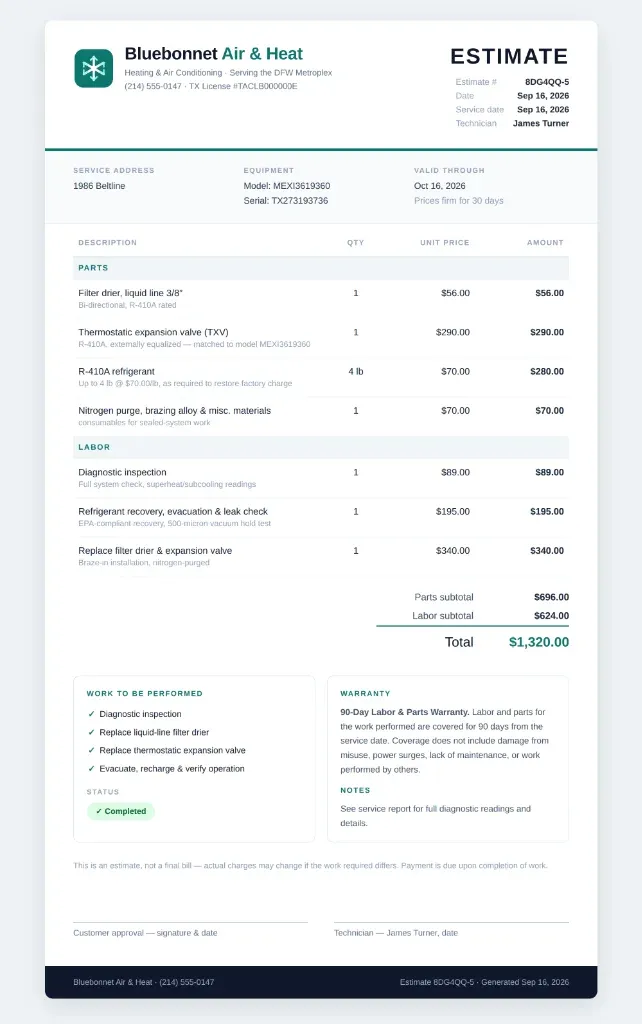
A clear estimate the homeowner understands and approves
Generate a comprehensive, easy-to-read estimate before you pack up. It brings together equipment details, identified issues, and clear repair recommendations so homeowners understand exactly what they're paying for.
- In clear, customer-friendly language: Explain what needs fixing in plain terms, in English, Spanish, French, and more.
- Faster repair approvals: Transparent scopes and clear repair options help homeowners feel confident saying yes on the spot.
- Instant Sharing: Deliver via SMS or email PDF before packing up your gauges.
05
Running with a crew? Bring your whole team on board
Works just as well for full HVAC shops. Connect your trucks, share job history across technicians, and let managers follow diagnostic progress from the team portal.
- Shared job history: See what other techs found on earlier visits so you're never starting from scratch.
- Company-managed access: The office handles invites and setup so techs can focus entirely on the work.
- Uncapped diagnostic access: Unlimited checks, calculators, and estimates for every technician on the crew.
Team Activity & Members
Live shop status • team.aclogics.com
ACTIVE MEMBERS 3 of 5 included
MEMBER ROLE TOKENS STATUS
Compatibility
10 supported brands in current workflows
These logos show equipment brands referenced in ACLogics workflows. They are compatibility proof, not customer logos or endorsements.










Technician Utilities
Dedicated HVAC Tools & Calculators
Database
Calculator HVAC Error Code Lookup
Know what a blinking light or fault code means on site, even offline. Carrier, Trane, Daikin, Lennox, and more.
Launch tool →Duct Sizing & CFM
Size a round or rectangular duct run on site without a chart.
Launch calculator → ConverterHVAC Unit Converter
Switch between tons, BTU/hr, kW, pressure, and airflow without doing the math on a scrap of paper.
Launch converter → LiteratureManuals & Schematics
Find the right manufacturer manual, wiring diagram, or warranty lookup fast.
View directory → ScanNameplate Scanner
Snap the data plate and know the unit's size and age without typing a model number.
Learn more → ContractorTeam Portal & Billing
Add your techs and pay one invoice for the whole shop at team.aclogics.com.
View portal → WorkflowFrom Diagnosis to Estimate & Invoice
What your techs checked and found carries into the service report, itemized estimate and invoice, so nothing gets retyped after the call.
See how it works →Give your technicians honest field intelligence
Join the technicians and contractors who diagnose faster, eliminate callbacks, and build customer trust with ACLogics.
Team accounts available at team.aclogics.com.