See how a diagnosis works, step by step.

Follow a real service call from the first symptom to a confirmed fault. See the checks, readings and ruled-out causes in the app, then the report made from those findings.

iPhone, iPad and Android · No probes or sensors to buy

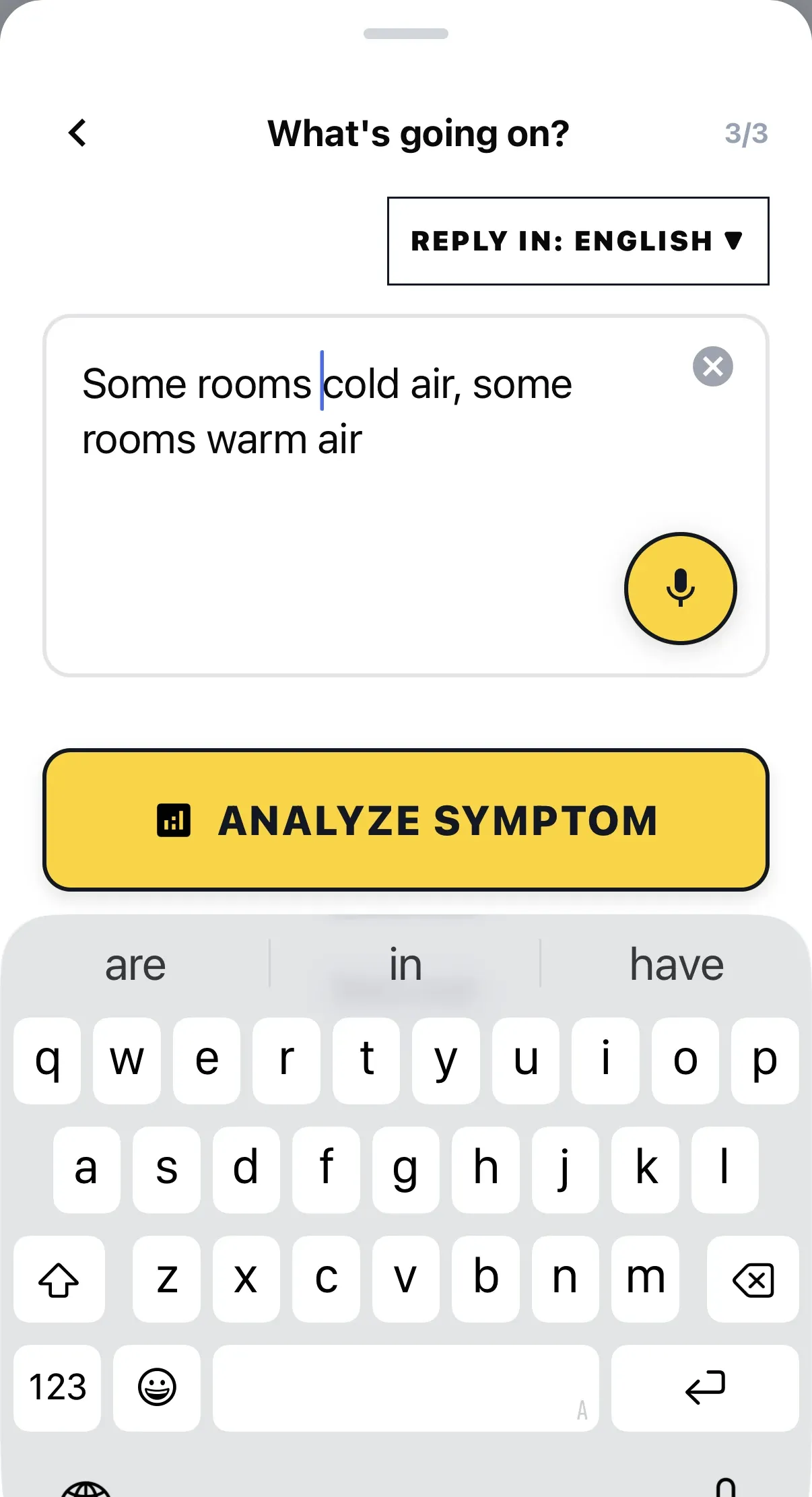
ACLogics symptom intake with the complaint "Some rooms cold air, some rooms warm air" typed in, a voice dictation button and an Analyze Symptom action.

“Fan inside kicks on, condenser not kicking on.”

Four possible causes. Here is the order the app walked them, from real app screens.

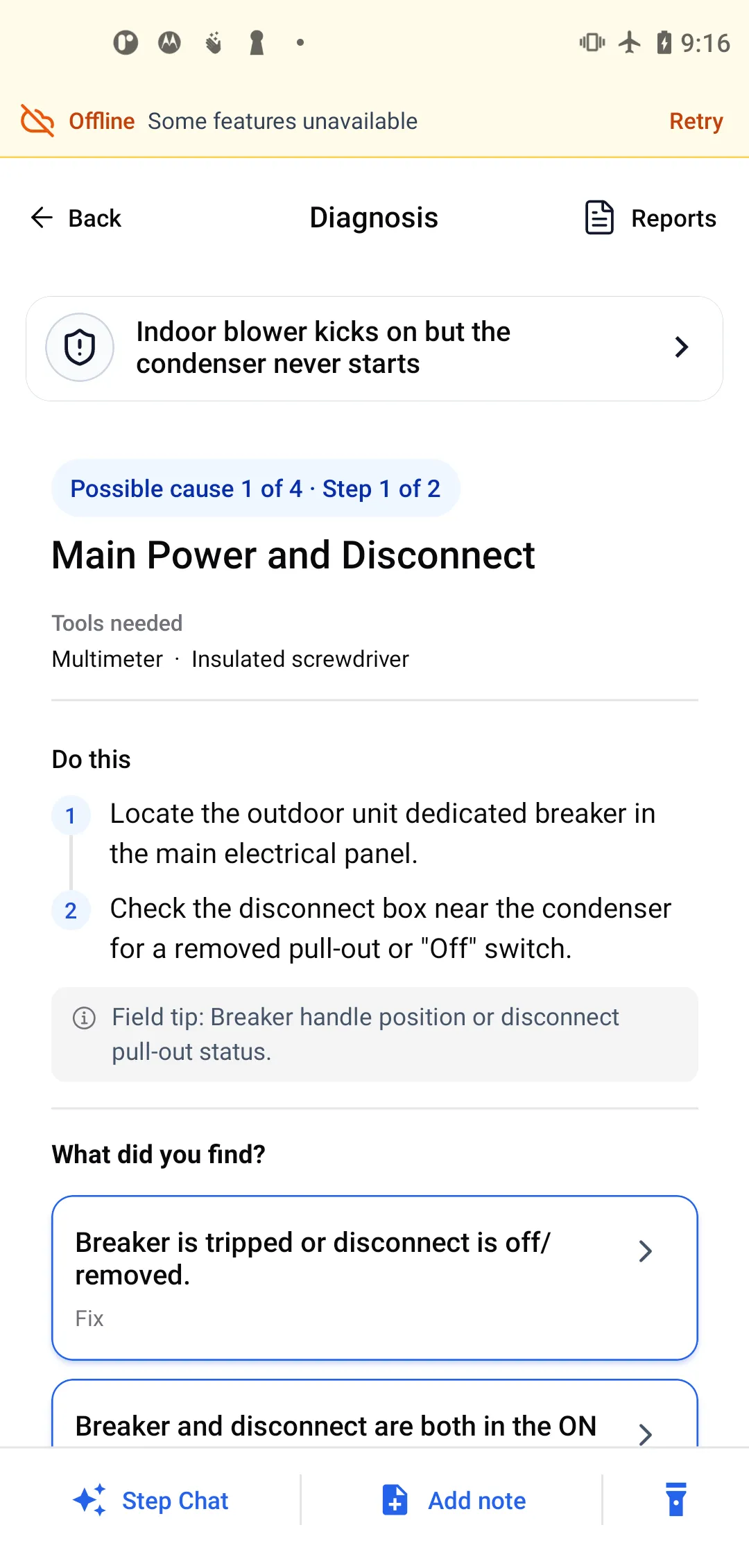
  1. Possible cause 1 of 4 for "Fan inside kicks on condenser not kicking on": check the breaker and disconnect, with the tools listed and two ordered actions.
    01

    Easy checks first

    Cause 1 of 4 is the breaker and the disconnect. Free to check, so it goes first.

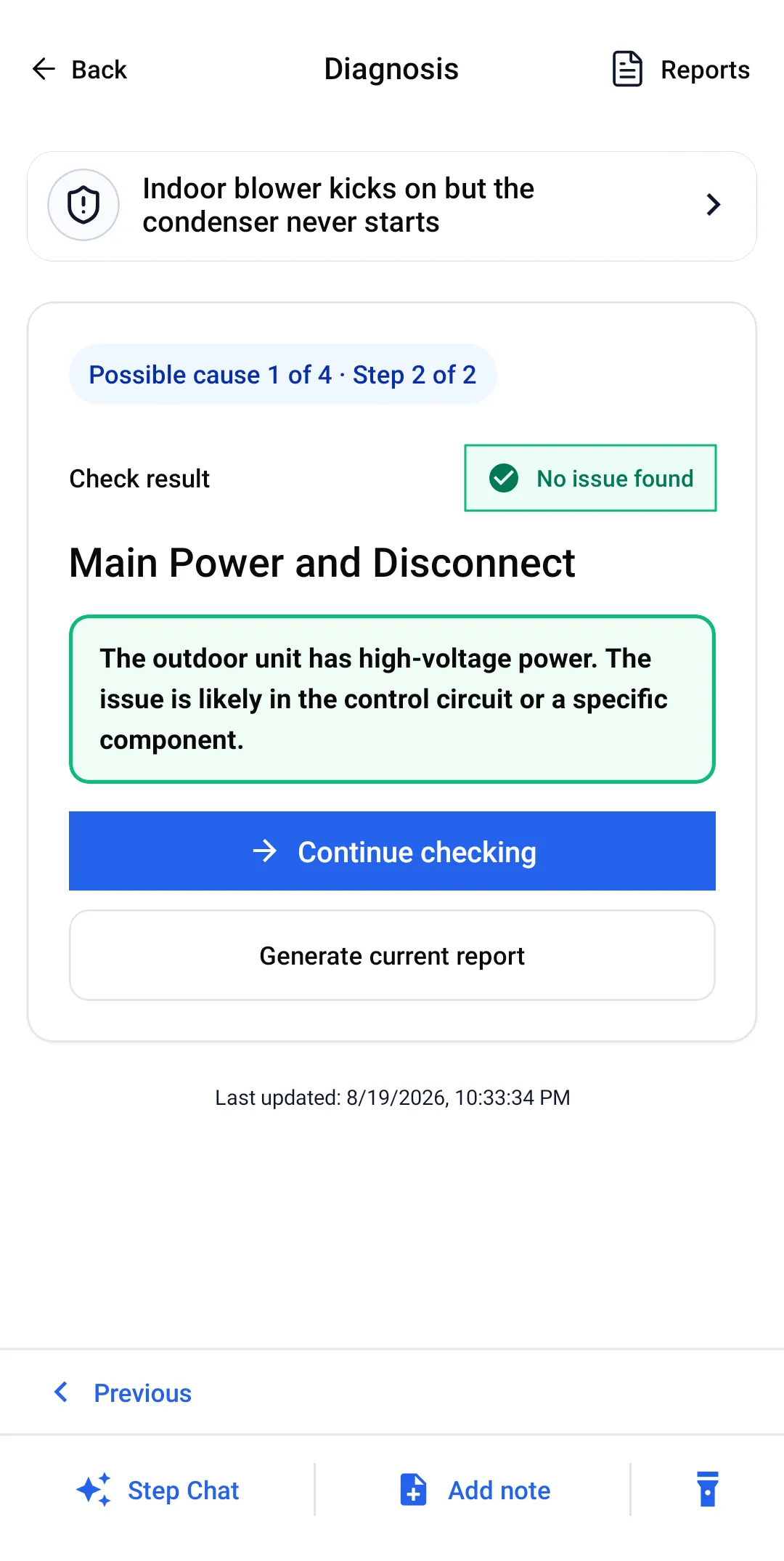
  2. Check result "No issue found" for Main Power and Disconnect: the outdoor unit has high-voltage power, so the issue is likely in the control circuit.
    02

    Ruled out, with the reason

    208–240V at the contactor. Power is closed as a cause, and the app says where to look next.

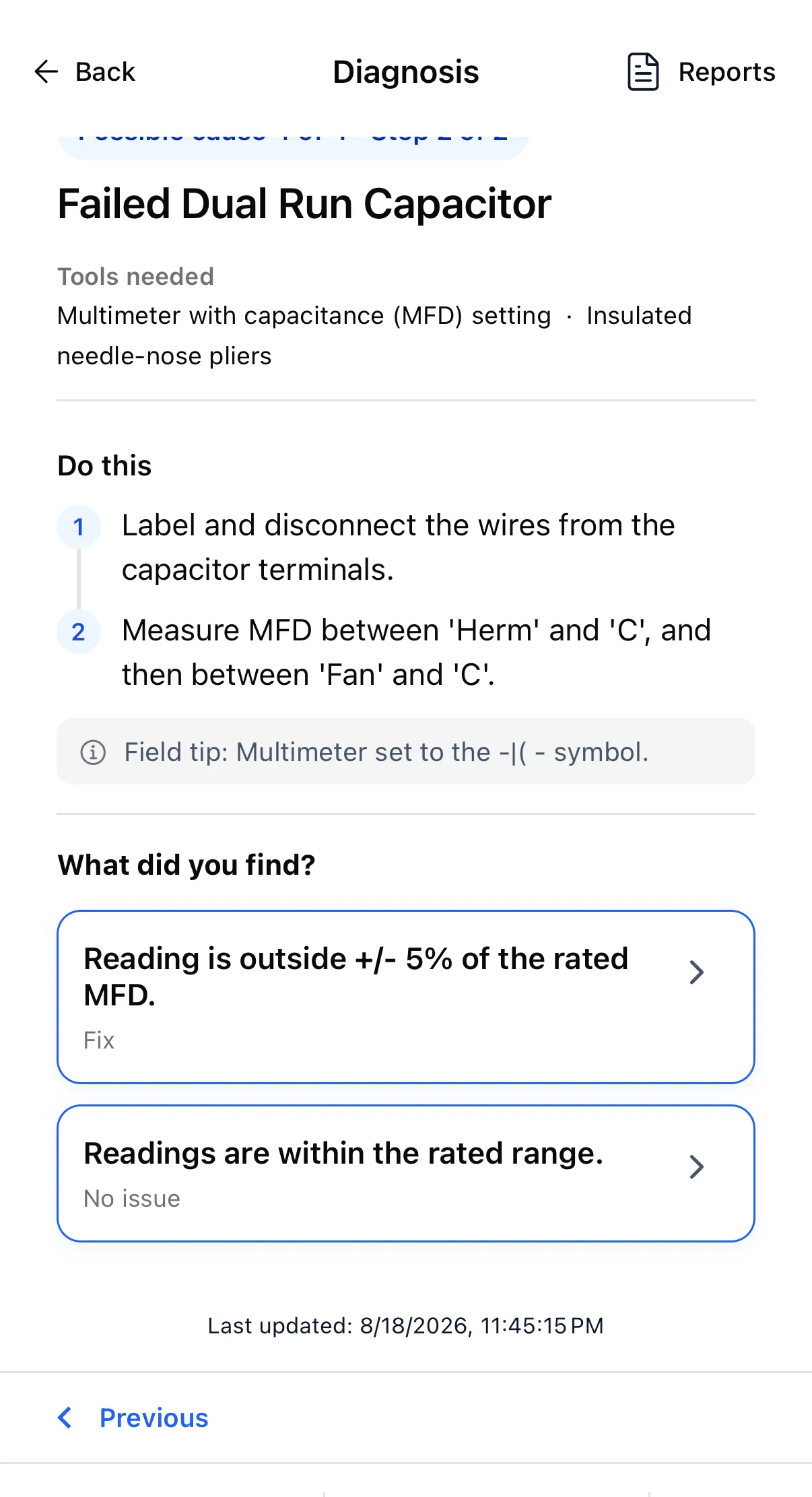
  3. Diagnosis step to label and disconnect the capacitor wires and measure MFD between Herm and C, then Fan and C.
    03

    Meter it, even if it looks fine

    The capacitor looked normal. "Looks normal" leads to a capacitance test, not to a conclusion.

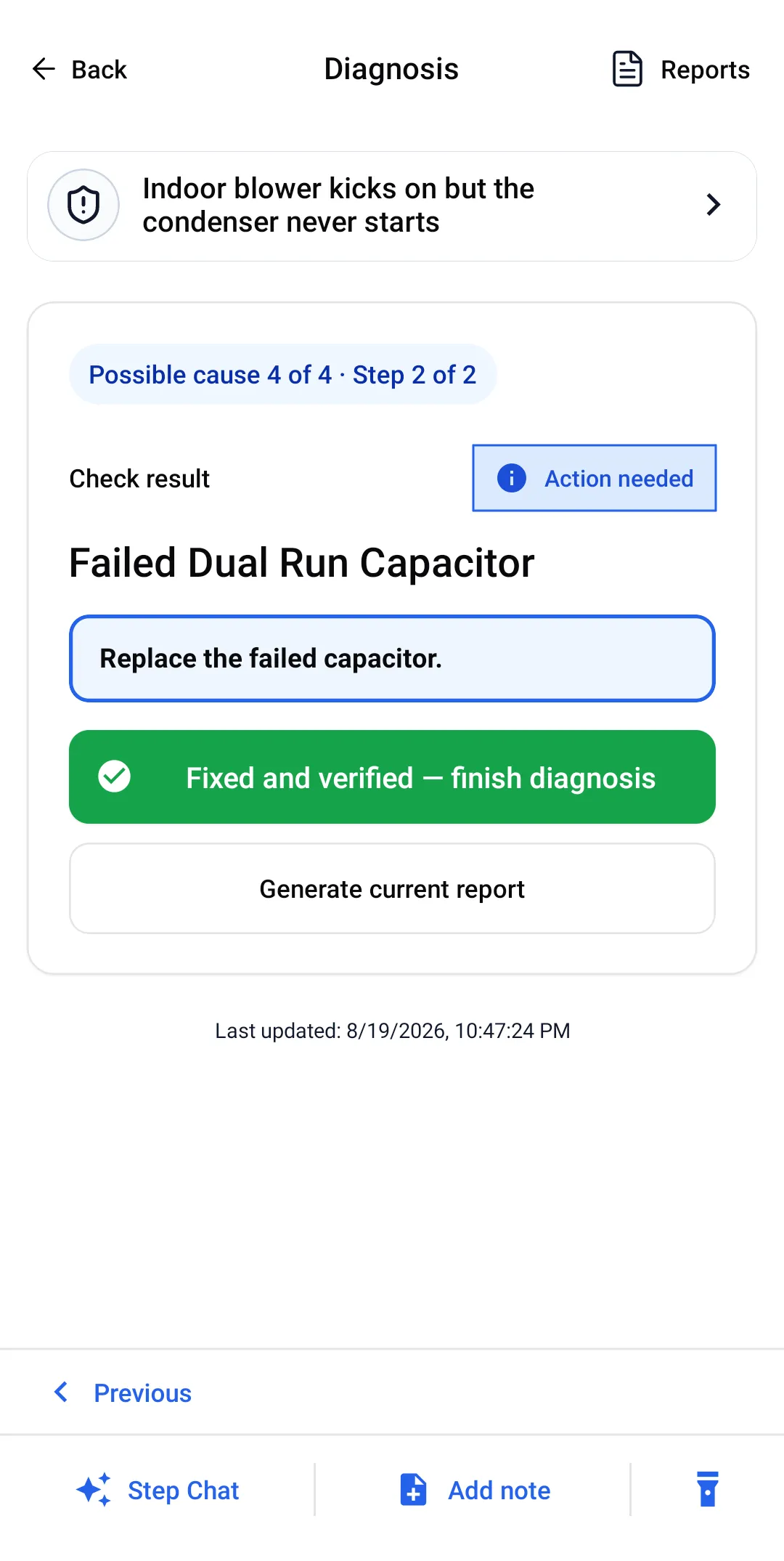
  4. Check result "Action needed — Failed Dual Run Capacitor" with the instruction to replace it.
    04

    Fault confirmed

    Outside ±5% of rated MFD. Replace the capacitor.

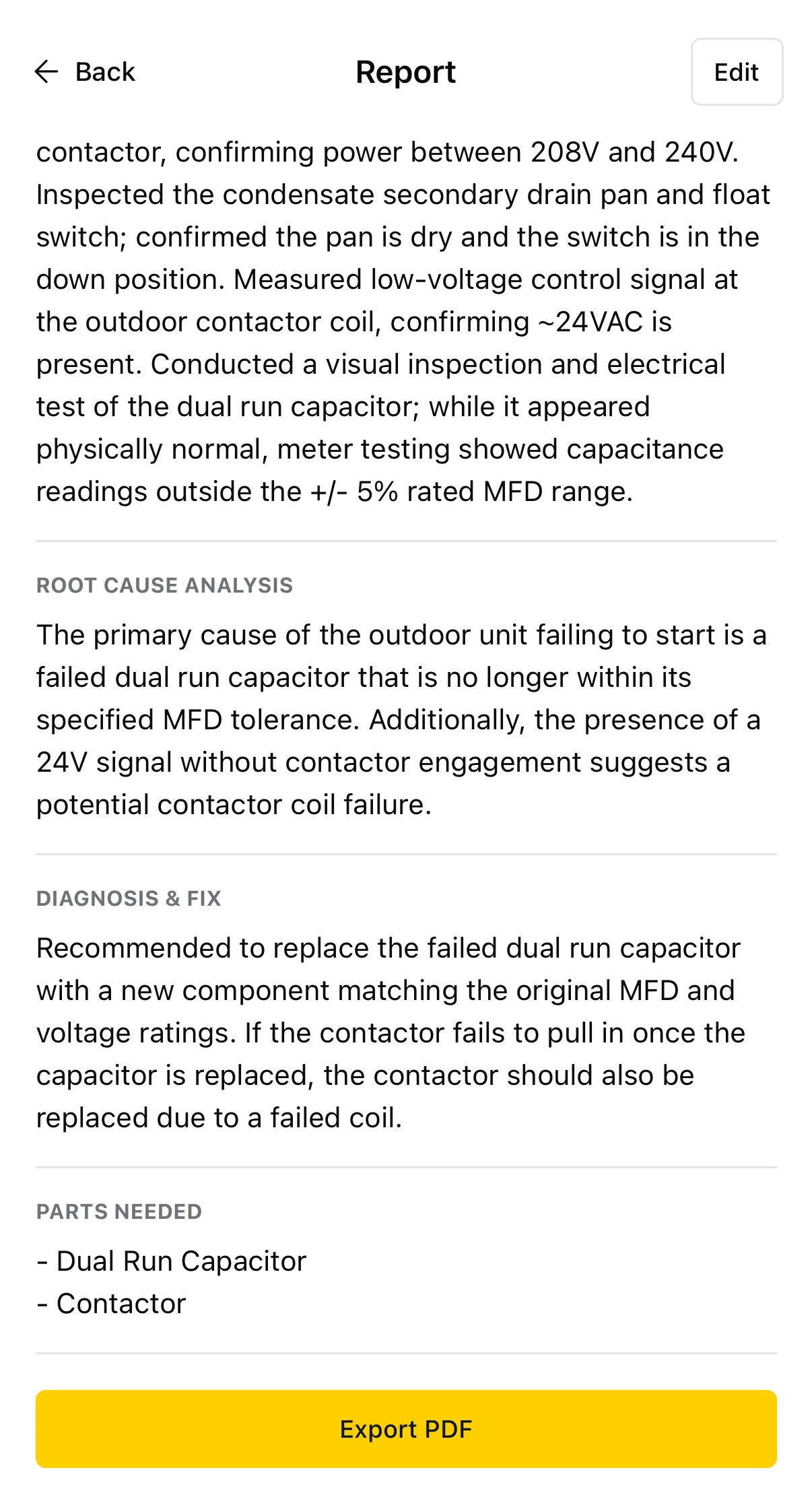
  5. Service report listing parts needed, a dual run capacitor and a contactor, above an Export PDF button.
    05

    Report from the checks

    Findings and parts carry into the PDF report. Nothing is retyped.

Walk the full residential call → See a commercial RTU call →

Continue saved checks offline.

A new diagnosis needs a connection. Once it is open, you can follow the steps and record checks in airplane mode. Side Chat and new AI reports wait until you are back online.

What works offline →
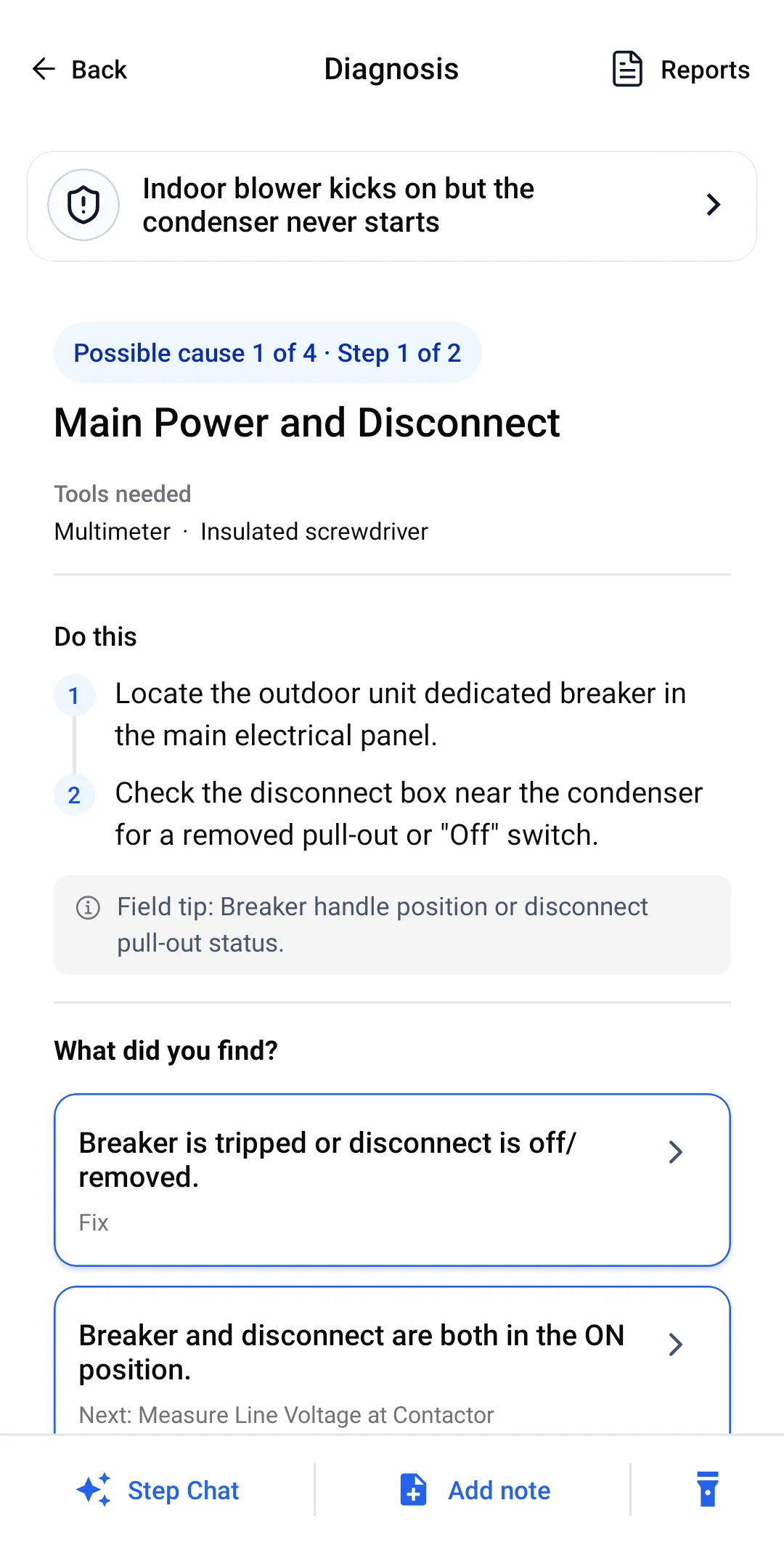
A guided step open in airplane mode, with the offline banner above the step, its actions and its answer branches.
Saved steps keep working.
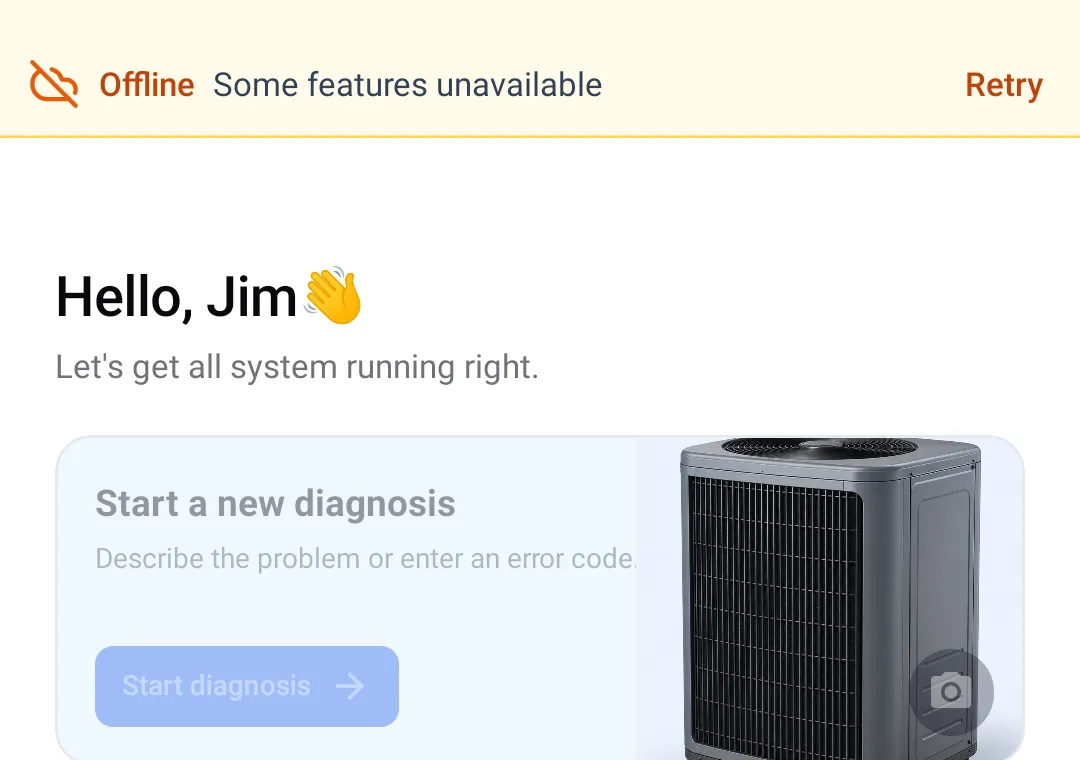
Home screen in airplane mode with the Start a new diagnosis card greyed out below the offline banner.
New diagnoses need a connection.

Questions about the diagnostic steps.

How does a diagnosis start in ACLogics?

You describe the symptom, error code or readings. ACLogics lists the possible causes in check order and walks you through each one. When a reading clears a cause, it records why and moves on. The checks you made become the service report.

How are the causes ordered?

Quick, easy checks come first. Among checks that take similar effort, the most likely cause comes first. That is why breakers and disconnects come before a capacitor test.

Does it work without internet?

Starting a new diagnosis needs a connection. After that, you can open saved jobs, follow the steps and record checks offline. Side Chat and new AI reports need internet. What works offline

Do I need extra probes or sensors?

No. Use the meter and gauges you already carry and enter the readings. The app runs on iPhone, iPad and Android.

Which equipment does it cover?

Residential and light commercial: air conditioners, heat pumps, furnaces, mini-splits, packaged units and boilers. Diagnosis starts from how the system is behaving, so it is not limited to a model list. On anything unusual it tells you to escalate instead of guessing. See a commercial RTU call

What if the app is wrong?

Trust your meter. If a reading contradicts the step, choose the answer that says so. The app marks that cause ruled out, with the reason, and moves to the next one.
Run your next no-cool call through it.