v1.2.4: Job Documents — report, invoice, and warranty in one place
ACLogics Mobile App v1.2.4 turns the end of a job into one document flow. The diagnosis report and the customer invoice now live on the same screen, share the same job details, and export as PDFs in whatever language your customer reads.
One hub for the report and the invoice
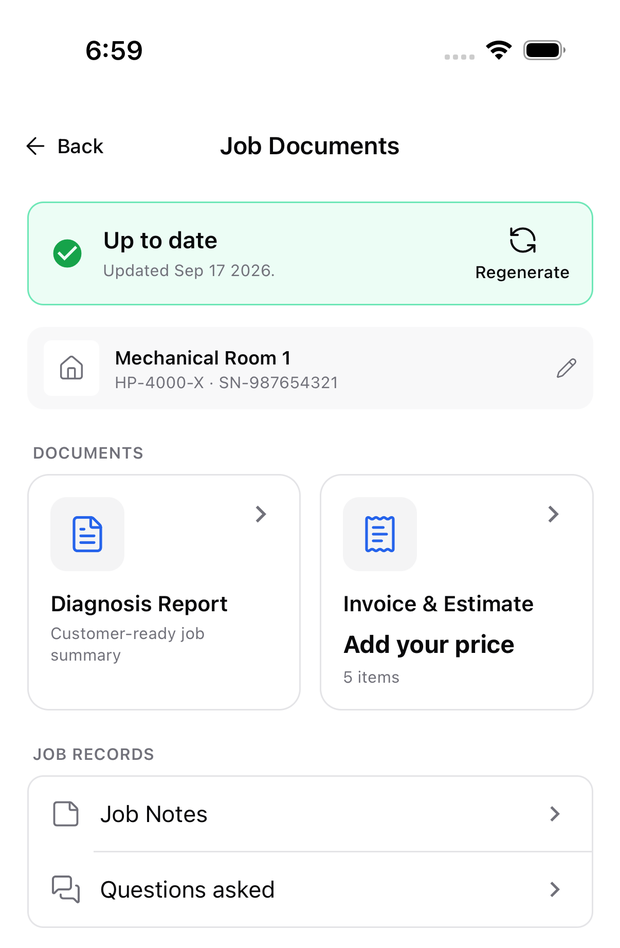
The diagnosis summary now opens Job Documents: job status, equipment, the report, and the invoice in one place. Report and Invoice share a single header with tabs, so switching between them is one tap. Job Notes and the questions you asked during the diagnosis are on the same screen — tap a note to jump back to its step.
Enter the job details once
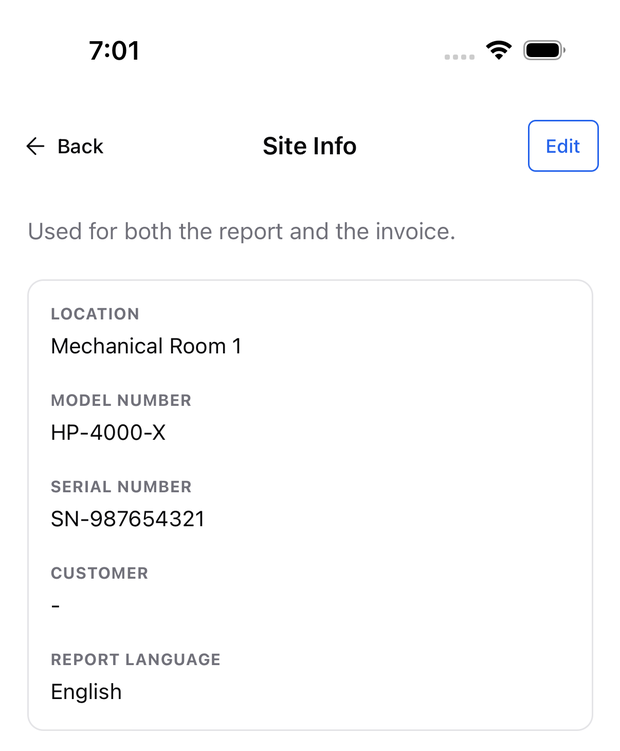
Location, model number, serial number, customer name, and report language are entered once in Site Info and used on both documents. Regenerating a report reuses the language you picked last time.
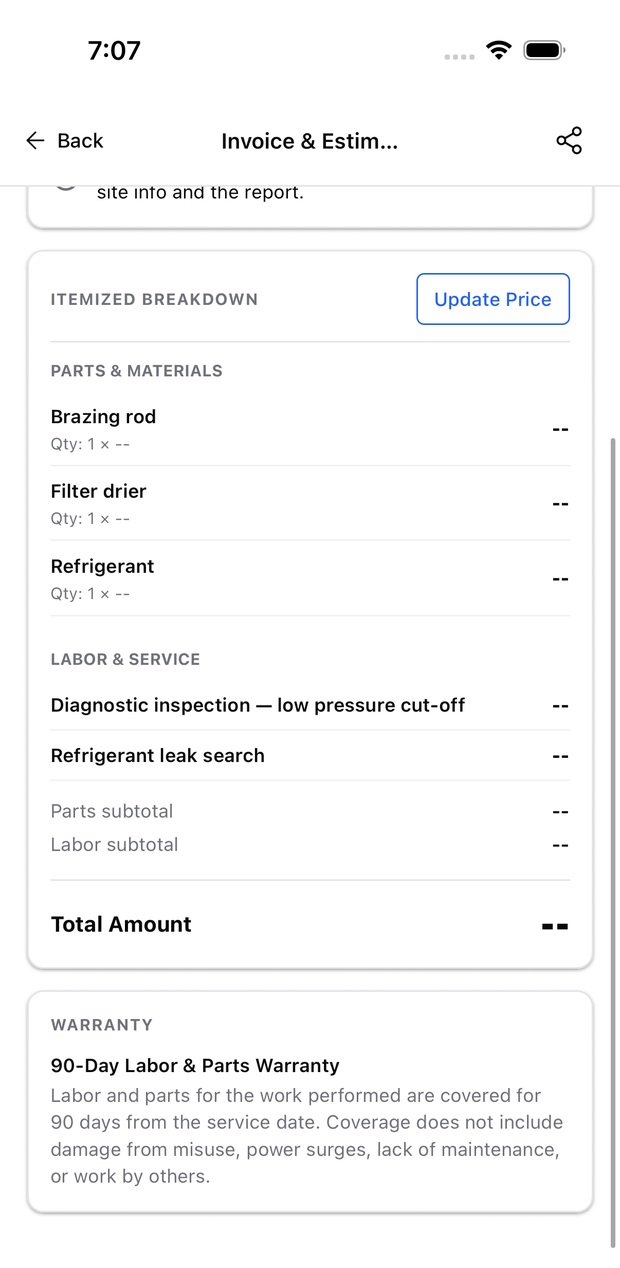
Invoices and estimates, itemized or flat rate
Price parts and labor line by line, or bill a single total. Parts and materials already recorded in the report are prefilled, and you can add, remove, or uncheck lines. The same document exports as an Invoice or an Estimate — one checkbox changes the PDF title.
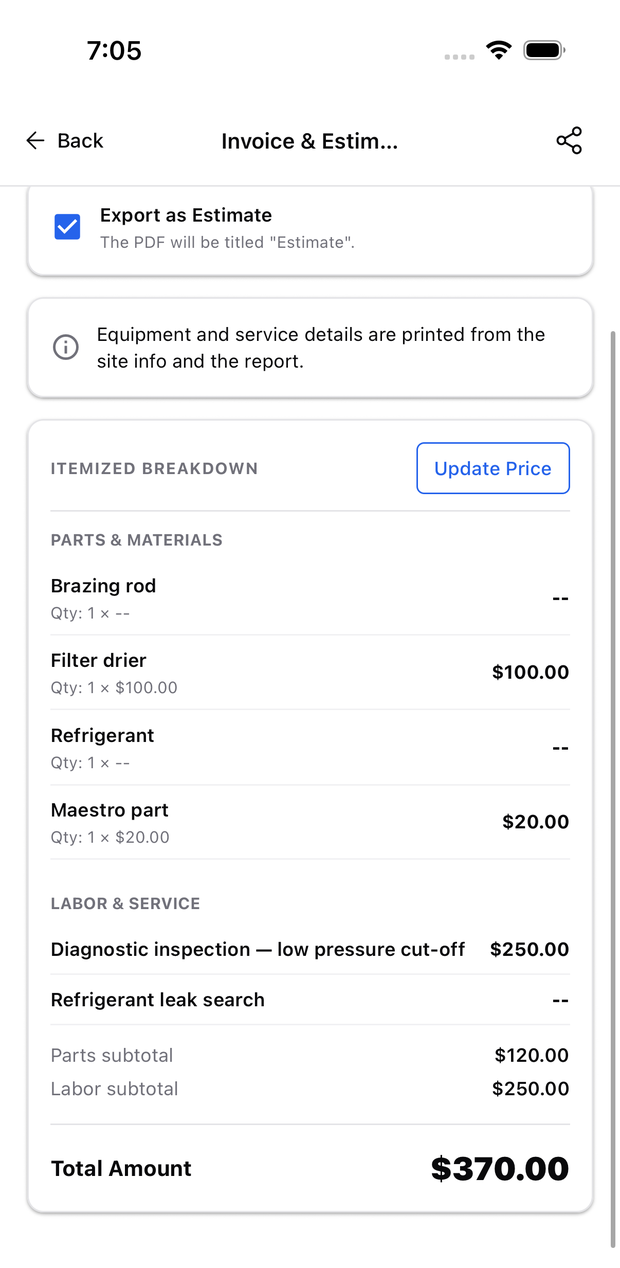
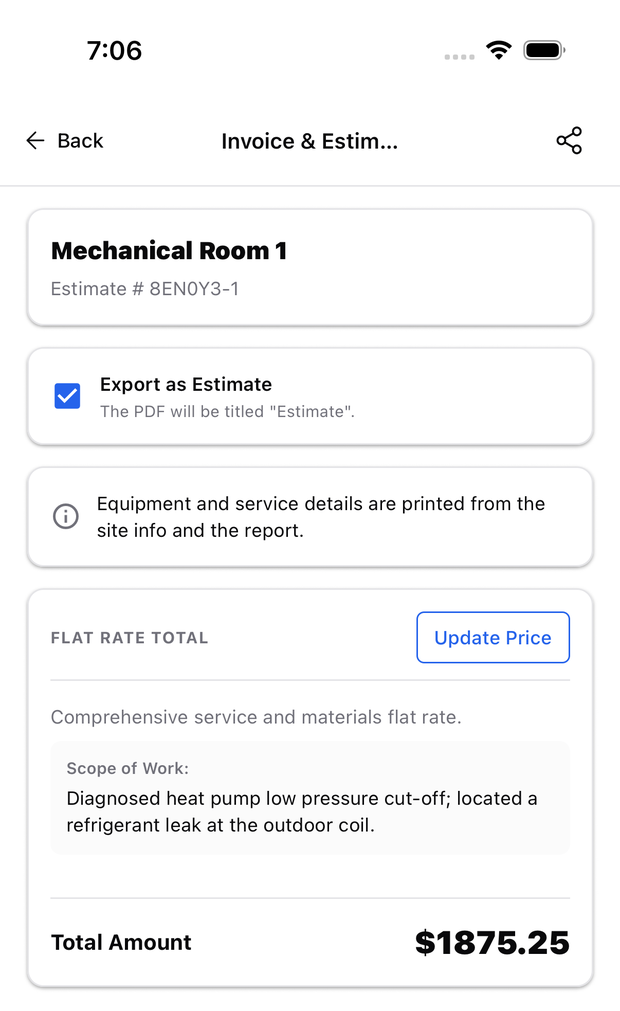
The invoice PDF prints the invoice number, bill-to, service address, subtotals, and the work performed.
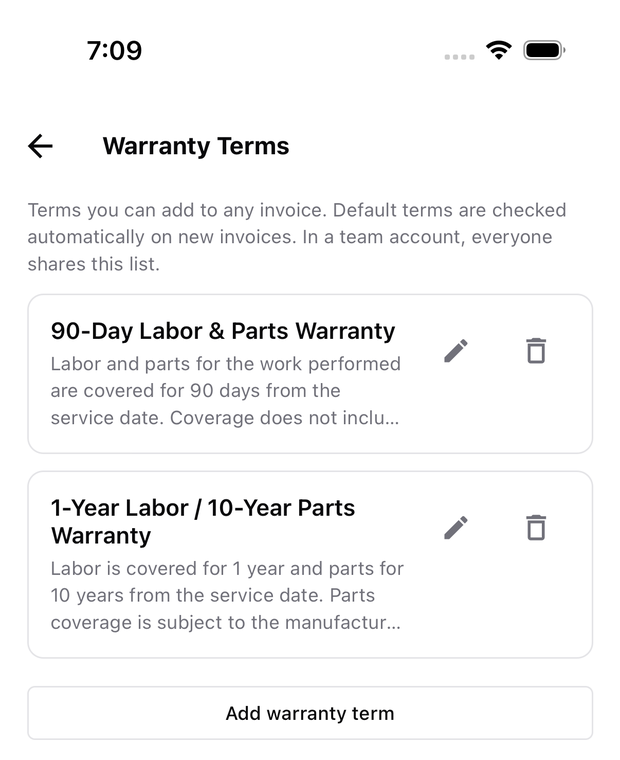
Saved warranty terms
Write your warranty once, keep it in a list, set a default, and attach it to any invoice. Organization accounts share one list across all active members, so every technician sends the same terms. Two starter templates are included for first-time users, and once you delete one it is never added back.
Reports you can edit — and rewrite
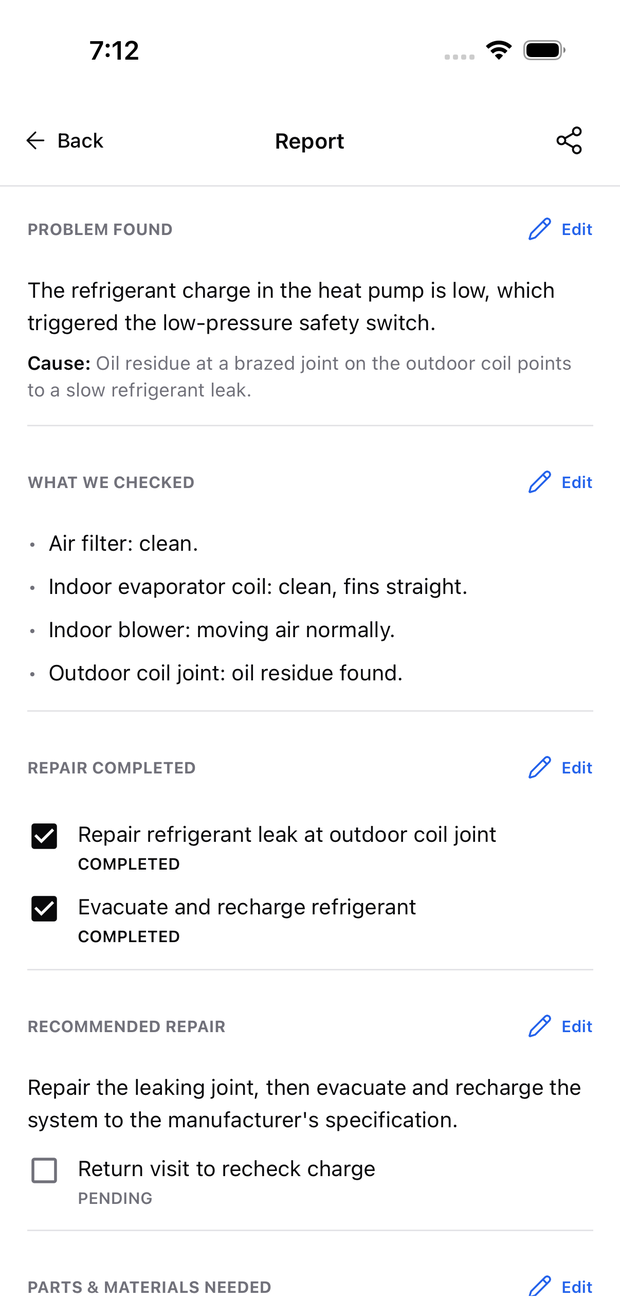
Change the wording of any report section yourself. Edits save locally first, so they work without service. If you would rather describe the change than type it, say what should be different — for example “make it shorter” or “mention the capacitor was replaced” — and review the rewrite before saving.
Tick off repairs on a later visit
Came back to finish a repair? Mark it done and the report’s headings and summaries update to match, with no regeneration needed. If the diagnosis itself changes after the report was made, the report is flagged as out of date so you know to regenerate it.
Tapping Generate or Regenerate now opens the report screen straight away with a placeholder, instead of leaving you on the previous screen until generation finishes.
PDFs in your customer’s language
Report and invoice PDFs print in the report’s language, independent of the language the app itself is set to. Supported report languages: English, Simplified Chinese, Spanish, French, Portuguese, Russian, and Vietnamese.
The app’s own interface is now translated into English, Simplified Chinese, Spanish, French, Portuguese, and Russian. Diagnosis replies can still be requested in all 16 previously supported languages.
Refreshed design
New home screen, sign-in screen, and token refill screen. Main actions and selected states now use one consistent primary colour throughout the app, with better contrast in dark mode.
Reliability fixes
- Android no longer shows “Offline” right after launch until you switch away and back.
- Returning to the app from the background no longer shows “Sync is temporarily unavailable” when the connection is simply reconnecting.
- A job no longer shows the wrong badge when its most recent report attempt failed.
- Server error messages that contained internal service details are replaced with a generic message.
Learn how to use it: Job Documents: reports, invoices, and job records · Create an invoice or estimate · Save and reuse warranty terms · Edit or rewrite a report